
| Pre-requisites: n/a |
Topics Covered
Pending Approvals Tab
Target Users
All Users
Required Permissions
n/a

Introduction
The Pending Approval tab displays Bill of Collection write-off requests that are pending FMO or Write-Off Authority approval. It also provides details of the BOC, including its status, and the post from which the request originated. If you have the FMO or Write-Off Authority role within the system, there are two distinct dashboards dedicated to your approvals- refer to FMO Dashboard and Write-Off Authority Dashboard within this guide for more information.
Submission Requests Pending FMO Approval: Within this section, there are three options: Pending FMO Submission Approval, Submission Approved by FMO, Submission Returned to AR Techs - see image below.
Write-Off Requests Pending FMO Approval: Within this section, there are three options: Pending FMO Approval, Approved by FMO, and Rejected by FMO- see image below.
Write Off Requests Pending Write-Off Authority Approval:Within this section, there are three options: Pending Approval, Approved by FMO, and Rejected by FMO- see image below.
Clicking on any of these options will redirect you to specific pages that display either pending approvals, those approved by FMO, or rejected records—see the example below of the Pending FMO Approval page.
To view Pending, Approved, or Rejected requests (FMO):
- Go to My Dashboard > Pending FMO Approval
- Click the Pending FMO Write-Off Approval button
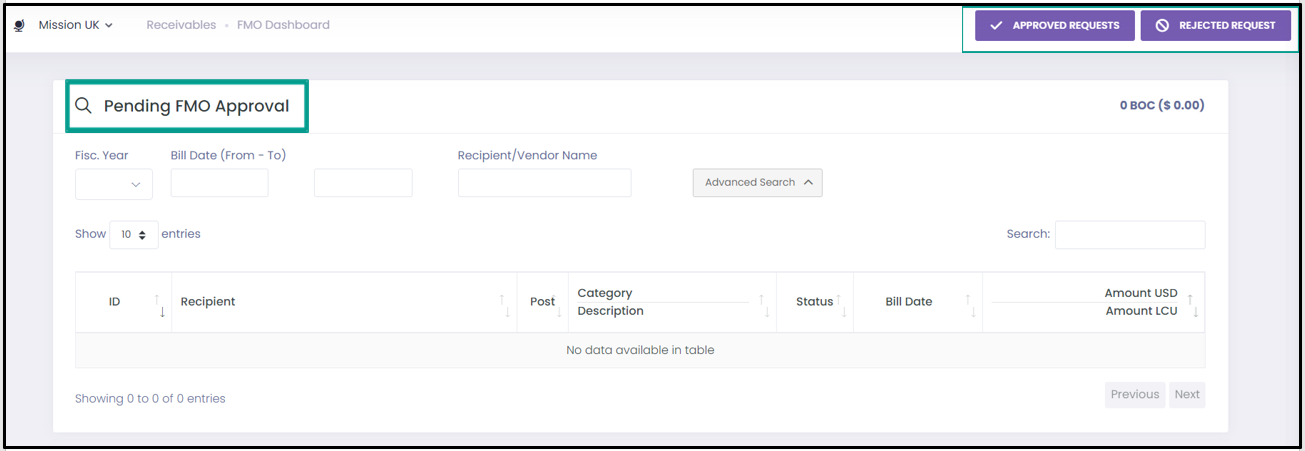
Note: Each page includes shortcut buttons (e.g., Approved or Rejected) in the upper-right corner to quickly switch between views. Clicking on any of these buttons will redirect you to specific pages displaying either pending approvals, those approved by FMO, or rejected records—see the example below.
Bill of Collection Write Off Requests Pending Write-Off Authority Approval: Within this section, there are three options: Pending Write Off Authority Approval, Approved by Write Off Authority, and Rejected by Write Off Authority. See green highlighted outline below.
Clicking on any of these options will redirect you to specific pages that display either pending approvals, those approved by Write-Off Authority, or rejected records- see the example below of the Pending Write Off- Authority Approval page- see image below.

Additional feature(s): Pending Approval, Approved by or Rejected pages for either the Bill of Collection write off request sections for both FMO and Write Off Authority have the same features.
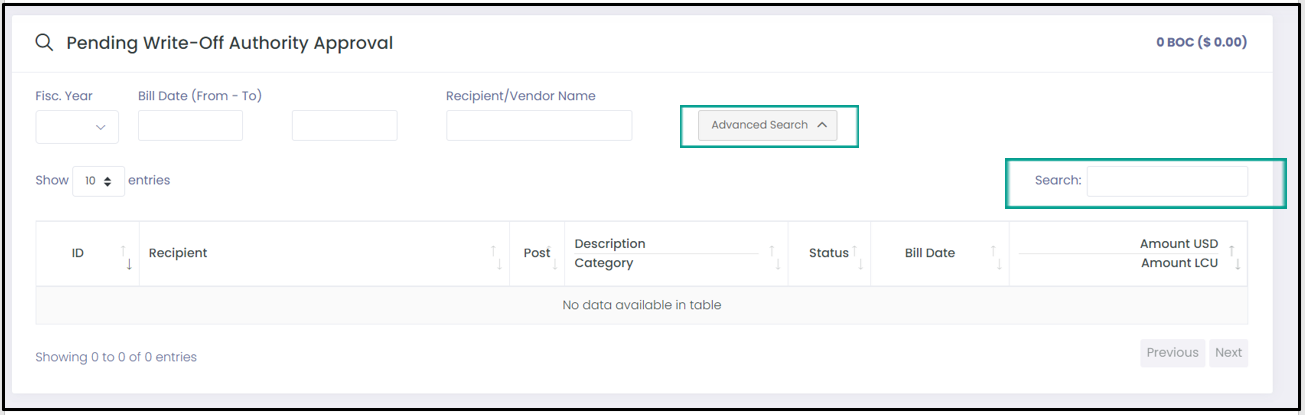
Note: Advanced Search and Search options offer additional in-depth fields to help you find specific records. For example, you can search by currency, USD amount, ID (Drafts BOC temporary ID or unique ID), category, agencies, referral type, or posts.
Required Role(s) to view/edit this page: Instance Administrator, Financial Management Officer or Write-off Authority
Related Articles
The Dashboard - Accounts Receivables Tab
For additional help, please contact ISC at Post or ADG Support by selecting the ‘Submit a request’ button at the top of the page or by emailing adg-support@state.gov.
Visit the Global Application Portal (GAP) for the latest news and information on all the ADG's applications.
Comments
0 comments
Please sign in to leave a comment.