
| Pre-requisites: n/a |
Topics Covered
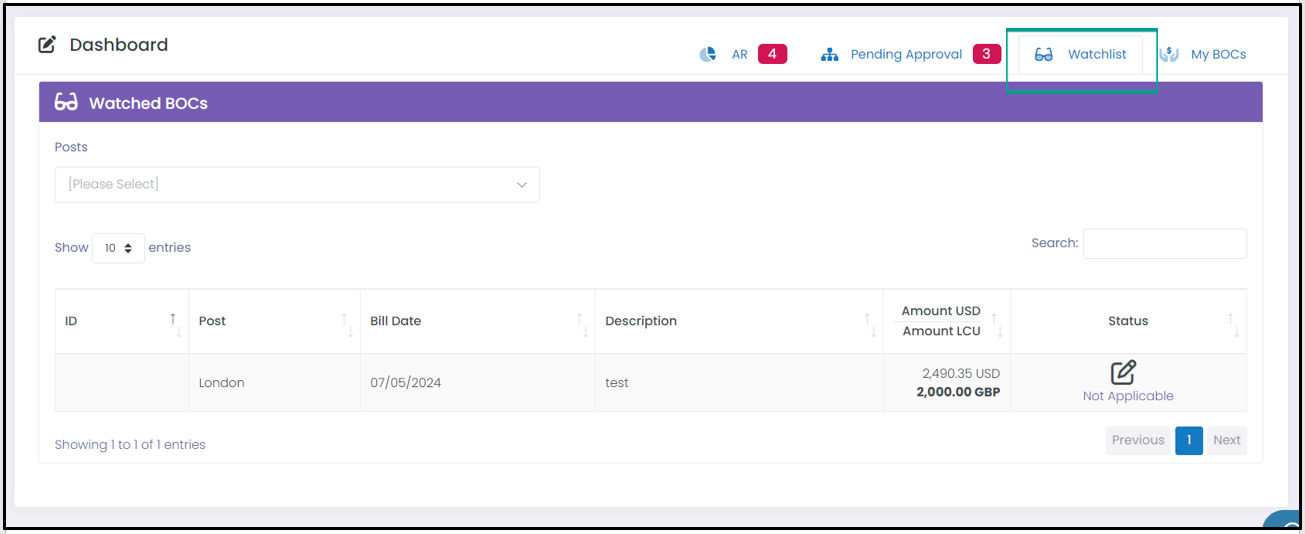
Watchlist Tab
Target Users
All Users
Required Permissions
n/a

Introduction
The Watchlist tab gives users visibility of into Bills of Collection (BOCs) that users want to monitor. There are options: not to receive email notifications of changes, to be notified of every status change, or to be notified only when the status changes to open or closed.
Adding Users to a Watchlist
To add users to a watchlist, navigate to the watchlist section within a BOC (see image below).
- To add yourself to a watchlist, click on the blue button Add Me to the Watchlist. You will automatically be added to this BOC's watchlist section.
- To add another user, click on the + Add button, search for the user you'd like to add.
- To remove a User, use the delete option next to the user’s name to remove them.

Related Articles
The Dashboard - Accounts Receivables Tab
For additional help, please contact ISC at Post or ADG Support by selecting the ‘Submit a request’ button at the top of the page or by emailing adg-support@state.gov.
Visit the Global Application Portal (GAP) for the latest news and information on all the ADG's applications.
Comments
0 comments
Please sign in to leave a comment.